 Blurwise
Blur Faces in Your Videos. Effortlessly. Locally.
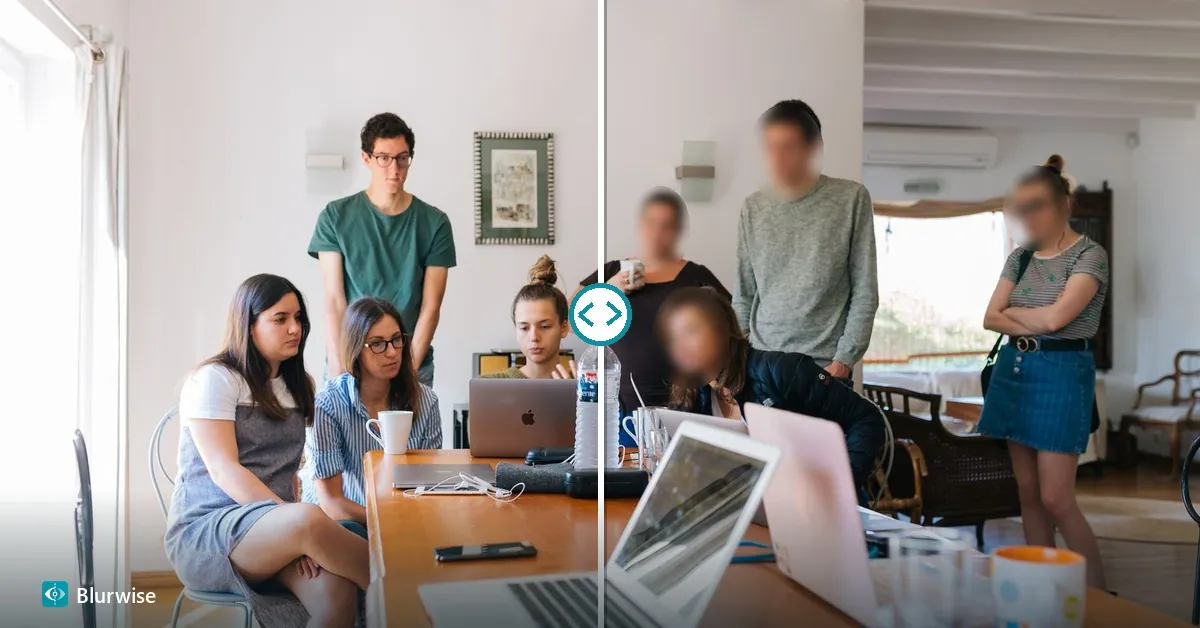
Blurwise is the Windows software that detects and blurs faces in videos with artificial intelligence, leaving you in final control over every single face — without ever uploading your files to the cloud.
Windows may show “Windows protected your PC”: click “More info”, then “Run anyway”. Details
The actual app
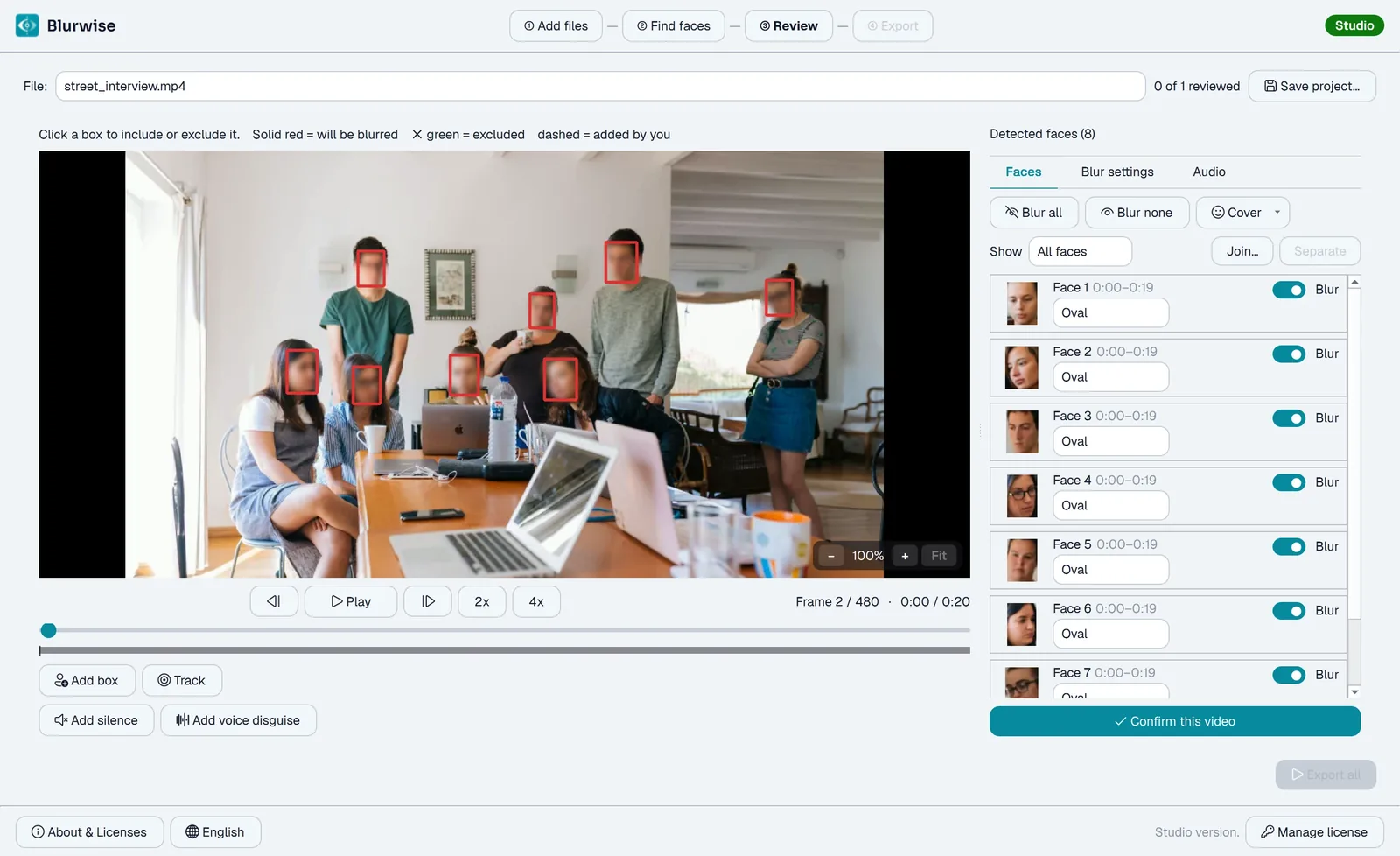
Review every face before you export
This is the real review screen, not a mockup. Every detected face is listed on the right — tick to blur it or leave it visible, pick a cover style per face, add a face the AI missed or track a plate. What you see is exactly what gets rendered.
On the go
Blurwise is also on Android
Blur faces in a photo or a short clip straight from your phone — same on-device detection, same privacy, no upload. Now on Google Play.
Features
Everything you need, nothing you don’t
Blurwise is built around three principles: simplicity, privacy, and reliability.
AI face detection
Automatic face recognition via neural network, in videos and in photos — no need to mark every person by hand.
Smart tracking
Faces are followed automatically throughout the video, even when they turn or are briefly covered.
Uses your graphics card
Detection and export run on your graphics card when your PC has a suitable one — NVIDIA, AMD or Intel, nothing extra to install — up to 5× faster than on the processor in our tests, with the same result. No suitable card? It simply runs on the processor. On every version, Free included.
Add a face, follow an object
When detection misses a face, draw the box yourself and it keeps tracking from there. The same tool follows a number plate, badge or document across the shot.
Four ways to cover a face
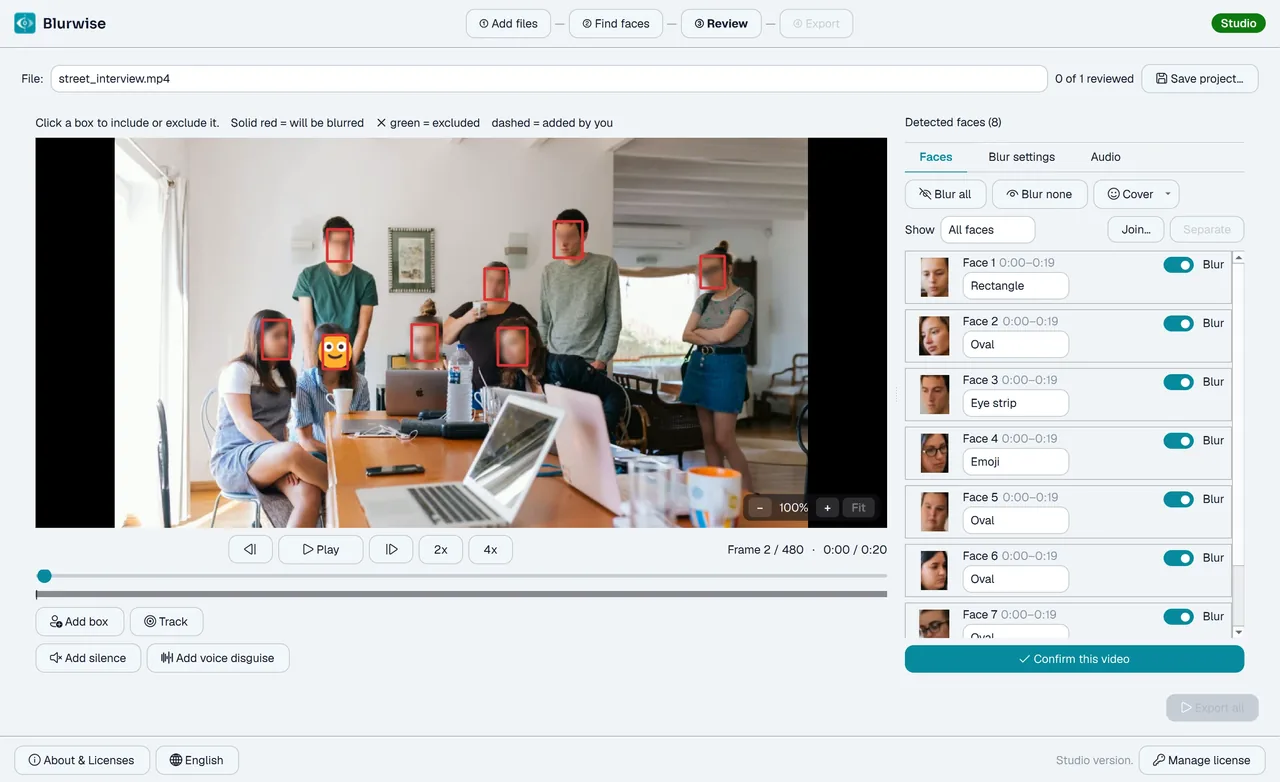
Rectangle, oval, eye strip, or an emoji/your own image on top — chosen per face, with a realistic live preview before you export.
Intensity and margin, per cover style
Set how strong the blur is, and give each cover style its own margin — an eye strip needs different padding from a rectangle that has to cover hair and ears.
Save and reopen a job
Save a review as a project and pick it up again days later — the detection is never redone.
Trim before you start
Keep only the stretch you need: set a start and an end, and only that part is analysed and exported — a long recording is ready much sooner. Pro and Studio.
Several files at once
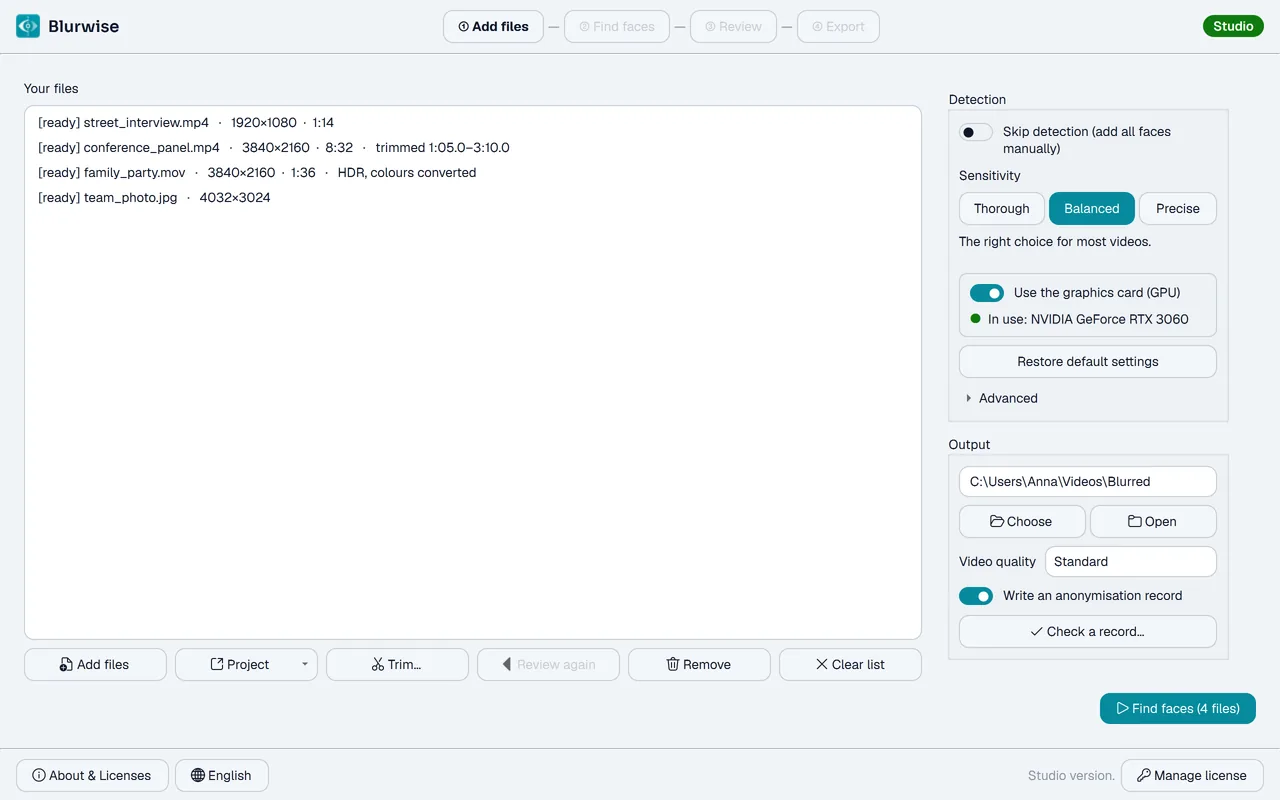
Add several videos or photos together: Blurwise finds the faces in all of them, you review them, and it exports them all in one go.
Review again after exporting
Spotted one more face while watching the result? Put the file back with Review again: your choices, hand-drawn boxes and audio stretches come back as you left them, and the new export never overwrites the first.
A review that keeps up
Hold the step buttons to move frame by frame, skip ahead at 2×, and — in Studio — hear the sound while the video plays.
True colours, sharp exports
HDR videos are converted automatically so colours don’t come out washed out, 1080i camcorder footage is deinterlaced, and a High quality setting keeps more detail when it matters. Always an MP4 that plays everywhere.
Voice disguise & silenced audio
Studio disguises voices irreversibly — only in the stretches you mark, or the whole track — with four tones, so several speakers stay distinguishable. And it silences a precise stretch when a name or address is said out loud.
Processed on your PC
No video ever leaves your computer. No uploads, no content sharing — suited to sensitive material, including footage covered by privacy rules such as the GDPR.
Anonymisation record
Studio can write a record with the SHA-256 of the source and the result, so you can prove what was done without documenting what was left visible.
In your language
The app speaks English, Italian, German, French and Spanish, and so does the installer. It follows your Windows language, and you can switch it from the language menu.
How it works
Three steps, one anonymous video
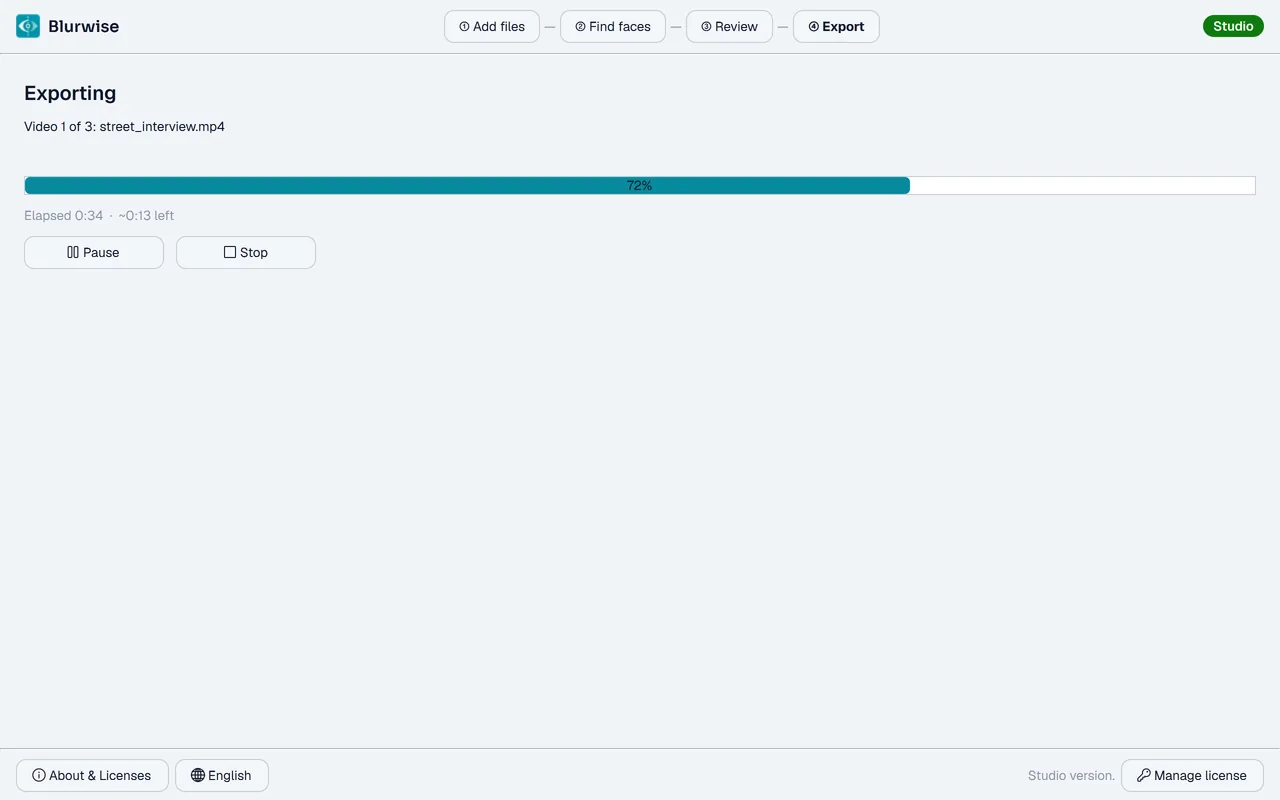
The real app, step by step: click a step to see its screen.
Privacy & GDPR
Your videos never leave your PC
Unlike cloud services, Blurwise processes everything locally: no uploads and no cloud processing, so your footage is never handed to a third-party server. You can anonymise footage of people without sending it anywhere — a useful step towards GDPR compliance, though not a substitute for your own assessment.
Zero upload
Works even without an internet connection: identifiable video never leaves your computer or your organisation.
Local processing
Uses the power of your own computer.
Auditable anonymisation
Studio can produce a signed record — the SHA-256 of source and result — so you can prove to a client, DPO or judge what was anonymised and how.
Built for sensitive footage
Journalists and creators, and teams in security, healthcare, education, HR or public bodies handling CCTV or interview footage.

For creators
Perfect for Content Creators
Filming in public means capturing strangers who never agreed to appear on camera. Blurwise detects and blurs bystanders’ faces in your YouTube, TikTok and vlog footage automatically, so you can publish quickly and respect everyone’s privacy.
Blur bystanders instantly
Automatically hide faces of passers-by in street, travel and event footage.
Built for YouTube, TikTok & vlogs
Process several clips at once and export ready-to-upload videos with faces blurred.
Keep your creative flow
No manual masking frame by frame — face tracking follows moving subjects for you.
Pricing
Choose your plan
Free
For a photo or a short clip.
- One video at a time
- Video up to 2 minutes
- Video up to 1080p
- Rectangle or ellipse blur
- Unlimited photos
- Metadata removed (GPS, device, date)
- No watermark on the result
Pro
For people who publish video.
- Everything in Free
- No length or resolution limit
- Several files in one go
- Eye strip, emoji or your own image
- Add by hand the faces detection missed
- Follow an object: number plates, badges, documents
- Trim a long video to the stretch you need
- Save your work and reopen it months later
- 2 workstations
- 12 months of updates included
Studio
For people who answer for it.
- Everything in Pro
- Voice disguise that cannot be undone, with a tone per speaker
- Silence stretches of audio
- Hear the sound while you review
- Anonymisation record with the SHA-256 of both the source and the result
- Licence to work on client material
- 3 workstations
- 24 months of updates included
- Priority support
30-day money-back guarantee
If Blurwise isn’t right for you, deactivate the licence on every PC you used it on (Manage license → Deactivate this device), then reply to your licence email within 30 days of purchase: we refund you in full, no questions asked.
Prices exclude VAT: your country's VAT is added at checkout. Businesses in the EU outside Italy with a valid VAT number pay no VAT (reverse charge). Perpetual licence: the program keeps working forever, also after the update window ends. Windows 10 and 11 only.
Not sure yet?
Try every Studio feature before you pay
Get a 14-day Studio key by email: voice disguise, anonymisation record, several files at once, object tracking — all unlocked on your own videos. No payment details needed.
Try Studio free for 14 days
Every feature unlocked — voice disguise, anonymisation record, several files at once. Exports only get the trial watermark when they use something beyond the Free tier. We’ll also send you a few tips during the trial.
What changes between the three versions
| Feature | Free | Pro | Studio |
|---|---|---|---|
| Face detection and tracking | |||
| Photos (JPG, PNG, WebP, TIFF), unlimited, any size | |||
| Metadata removal | |||
| Faster on your graphics card (GPU) | |||
| HDR and 1080i videos, Standard or High quality | |||
| Review again after exporting | |||
| No watermark on the result | |||
| Checking someone else's record | |||
| Maximum video length | 2 min | Unlimited | Unlimited |
| Maximum video resolution | 1080p | Unlimited | Unlimited |
| Several videos at once | — | ||
| Eye strip, emoji, your own image | — | ||
| Faces added by hand | — | ||
| Object tracking (plates, badges) | — | ||
| Trimming a video before the analysis | — | ||
| Saving and reopening a job | — | ||
| Voice disguise, per stretch, a tone per speaker | — | — | |
| Silencing stretches of audio | — | — | |
| Sound while reviewing | — | — | |
| Anonymisation record (SHA-256) | — | — | |
| Work on client material | — | — | |
| Workstations | — | 2 | 3 |
Protection does not depend on the version: metadata removal, the blur underneath every cover and the strength of the voice disguise are identical in all three. What changes is how much work you can do, not how well you are protected.
Buy
Protect privacy in your videos, without giving up control.
Secure payment
Checkout runs on Stripe: your card details never reach us.
Your key by email, right away
Enter it in the app from the "Enter license" menu and everything unlocks instantly.
30-day money-back guarantee
Not right for you? Deactivate the licence and reply to the licence email: full refund, no questions asked.
Lifetime licence, no subscription
Pay once. The app keeps working forever, even after the update window ends.
Blurwise Pro License
For people who publish video.
- Lifetime license — no subscription
- Free updates included for 12 months
- Offline processing on your PC
- No length or resolution limit
- All cover styles: rectangle, oval, eye strip, emoji or your own image
- Add boxes by hand and follow objects — plates, badges, documents
- Trim a video to one stretch before the analysis
- Save your work as a project and reopen it later
- Several files in one go
- Watermark-free export
- Valid on up to 2 PCs — release and reactivate anytime
- Email support
30-day money-back guarantee, no questions asked
Secure payment · Windows 10 or later
License
Free tier and licensed tiers
Free, no watermark
Use Blurwise for free, forever: one video at a time, up to 2 minutes and 1080p, and as many photos as you like — with a clean, watermark-free export.
Pro and Studio licenses
A one-time payment unlocks unlimited length and resolution, several files at once and more (Pro) — or also voice disguise, audio silencing and the anonymisation record (Studio). Each license is valid on 2 (Pro) or 3 (Studio) devices, managed from the app.
Download
Try first, buy later
Download Blurwise Free and use it right away: one video at a time, up to 2 minutes and 1080p, and unlimited photos — with a clean, watermark-free export. When you need more, buy a Pro or Studio license and enter the key to unlock it instantly.
Blurwise Free
Free to use, no time limit and no watermark: one video at a time, up to 2 minutes and 1080p, unlimited photos, rectangle or oval covers. Buy a Pro or Studio license to unlock longer videos, several videos at once and more.
Windows only
Windows 10 or later · English, Italiano, Deutsch, Français, Español
Try Studio free for 14 days
Every feature unlocked — voice disguise, anonymisation record, several files at once. Exports only get the trial watermark when they use something beyond the Free tier. We’ll also send you a few tips during the trial.
How the license works: Download Blurwise Free and use it right away. When you’re ready for more, buy a Pro or Studio license: you’ll receive the key by email. Enter it in the app from the "Enter license" menu to unlock instantly.
License activation: Each license is valid on 2 PCs (Pro) or 3 (Studio). Activate it on your devices from the app, and release and reactivate on a new one anytime.
Windows Defender SmartScreen warning? The installer is digitally signed, but Blurwise is a new application and has not yet built up a reputation with Microsoft, so Windows may still show “Windows protected your PC” when you run it. Click “More info”, then click “Run anyway”.
Contact
Support and suggestions
Need help or want to suggest an idea? Write to us: we reply to every message by email. You’ll get an automatic confirmation right away.
Dedicated support
Average response within 24 business hours.
Product feedback
Your ideas guide our next updates.