 Blurwise
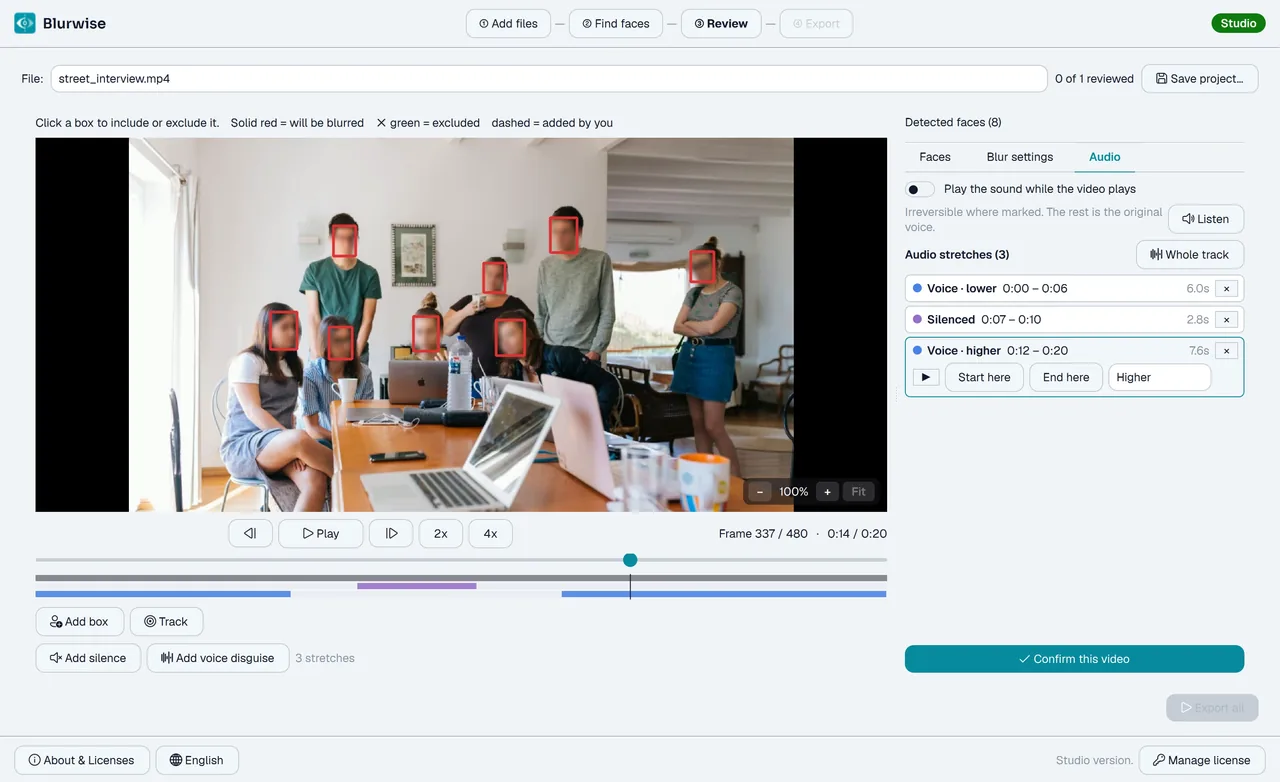
The face
The interviewee’s face is detected and tracked automatically, also when they move or turn. You choose how to cover it: a rectangle or oval blur, a strip over the eyes, or an image on top. Whatever the style, the face is always blurred underneath, so nothing shows through.
The voice
Studio disguises voices irreversibly: the disguised audio cannot be turned back into the original voice. You can disguise only the stretches where a person speaks, or the whole track, and give each speaker their own tone, from much lower to much higher, so several people remain distinguishable.
When a name, an address or a phone number is said out loud, you silence exactly that stretch. Everything is listed in the Audio tab, and you can listen to each stretch as it will be exported.
Why it matters that it stays on your PC
The raw interview is the most sensitive file you hold: identifiable face, real voice, everything that was said. Blurwise processes it on your own computer, even offline, so that file is never uploaded to a service to be anonymised.
- Badges, documents and screens in the shot can be tracked and covered.
- Location and device metadata are removed from the export.
- A SHA-256 record shows later which file was anonymised and what the result was.
Frequently asked questions
Can the voice disguise be reversed?
No. It is designed to be irreversible: the original voice cannot be reconstructed from the exported audio. All tones are equally strong; they only help tell speakers apart.
Can I keep the interviewer’s voice unchanged?
Yes. You disguise only the stretches you mark, so the interviewer can stay as recorded while the interviewee is disguised.
Which version includes voice disguise?
Studio. You can try every Studio feature for 14 days with a free key sent by email, without entering payment details.
Read the step-by-step guide, with a screenshot of every stage →