 Blurwise
How it works
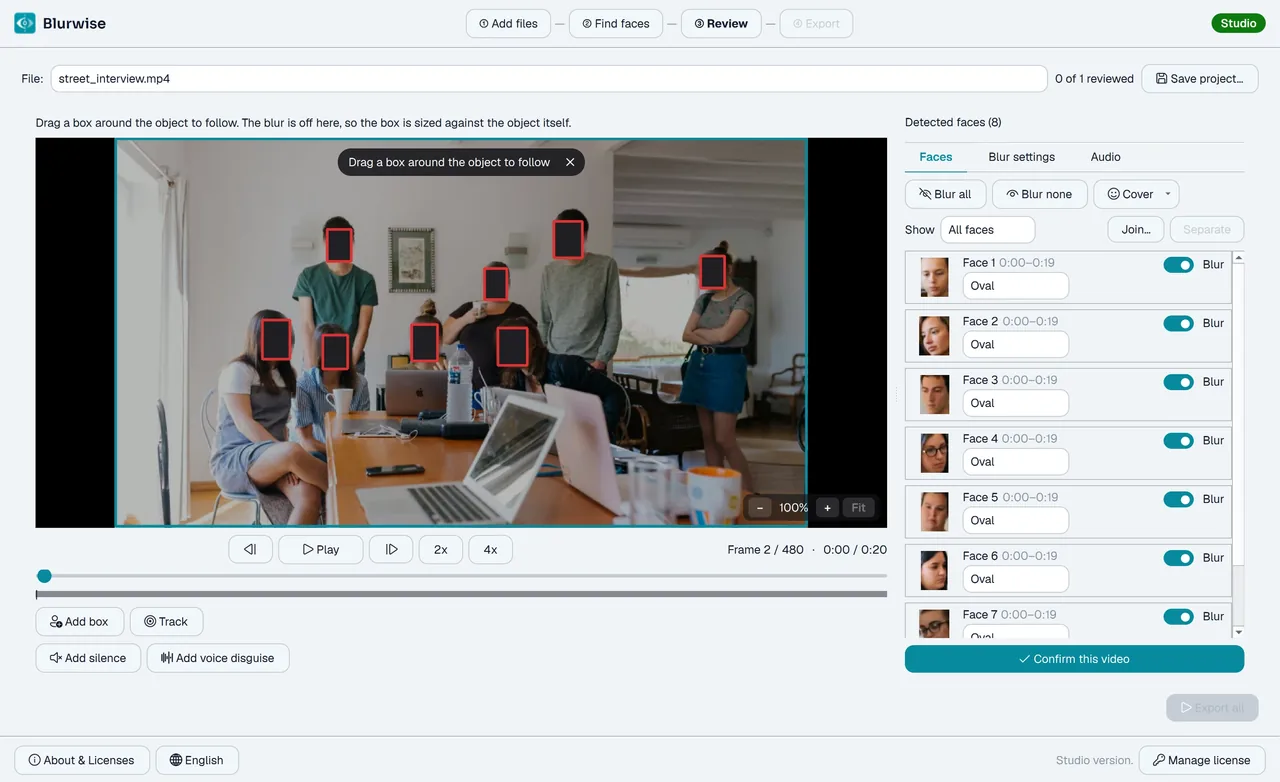
Plates are not detected on their own: you choose which ones to hide. In the review, press Track, draw a box around the plate, adjust it until it fits and press Start. Blurwise follows it frame by frame, and the box grows and shrinks as the car comes closer or drives away.
If the plate is hidden for a moment, the box holds its last position, so nothing slips into view until you say the object has left the shot.
Not just plates
The same tool covers anything the face detector would not catch:
- name badges and ID cards,
- documents, letters and screens,
- house numbers and signs that reveal a place,
- a face the detector missed, at a difficult angle.
Typical uses
Dashcam footage shared after an incident or posted online; travel and street videos; estate agents filming a street or a car park; insurers and fleet managers circulating footage internally. In all of them the faces of passers-by are found and blurred automatically, and the plates are the few things you mark yourself.
Frequently asked questions
Does Blurwise find number plates automatically?
No: it finds faces automatically, and plates are tracked once you mark them. That keeps you in control of which plates disappear, for example leaving your own visible.
Which version do I need for plates?
Object tracking is in Pro and Studio. The Free version blurs faces automatically, on one video at a time up to 2 minutes.
Does it work on long dashcam recordings?
Yes. Pro and Studio have no length or resolution limit, and you can trim a long recording to the stretch you need before the analysis, so only that part is processed.
Read the step-by-step guide, with a screenshot of every stage →